How to Download GSTR 1: 3 Easy Ways for Businesses

Need to access your GSTR-1 from the GST portal? Whether you want to check a previously submitted return, prepare your return using the offline tool, or download a PDF copy before filing, there are different ways to work with your GSTR-1.
Why Is GSTR-1 Filing Important for Your Business?
GSTR-1 filing is an important part of maintaining your GST records. It contains the outward supply information reported by your business and can be reviewed when checking your sales and tax details.
A GSTR-1 download can be useful when you need to refer to your return information after preparing or submitting it. Some of the benefits include:
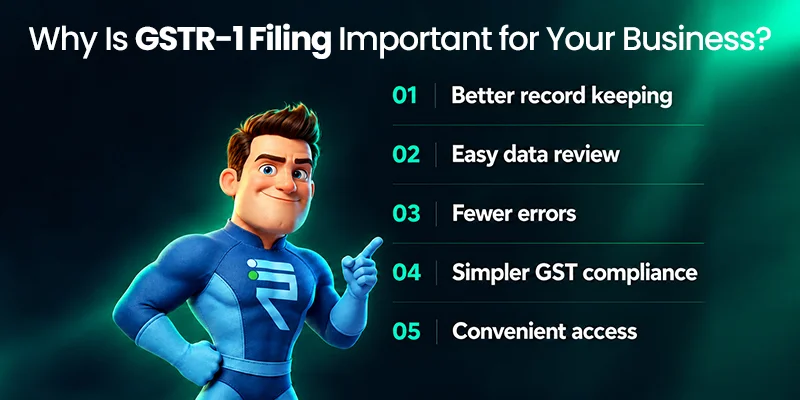
- Better record keeping: Downloaded GSTR-1 files can be retained as part of your business records.
- Easy data review: You can compare your GSTR-1 information with your invoices, sales register, and accounting records.
- Fewer errors: Reviewing the return before filing can help you identify incorrect information.
- Simpler GST compliance: Keeping your GSTR-1 records organized makes it easier to refer to previous filings when required.
- Convenient access: A downloaded copy allows you to keep the required information available for future reference.
Whether you are checking a previously submitted return or preparing a new one, knowing how to complete a GSTR-1 download can make the process easier.
Three Easy Ways to Download GSTR-1
Method 1: Download GSTR-1 from the GST Portal
Step 1: Log in to the GST Portal
Step 2: Open the GST Returns Section
Step 3: Select GSTR-1
This section contains outward supply information, including invoices, credit and debit notes, exports, HSN summaries, and modifications.
Step 4: Select the Return Period
Step 5: Review the Return Information
Step 6: Download or Generate the Report
Step 7: Compare the Downloaded Information
Step 8: Keep a Copy for Your Records
Store them safely and organize them by the relevant tax period. Keeping your GST documents in order makes it easier to refer to them when needed.
Method 2: Download the GSTR-1 Offline Tool
Step 1: Visit the GST Portal
Step 2: Open the Offline Tools Section
Step 3: Select the Returns Offline Tool
Step 4: Download and Install the Tool
Step 5: Prepare Your GSTR-1 Data
Method 3: Download Your Draft GSTR-1 as a PDF Before Filing
If you want to review your return before filing it, you can use the preview option on the GST portal to view and download your draft GSTR-1 as a PDF.
Step 1: Enter or Upload Your Return Details
Step 2: Generate the GSTR-1 Summary
Step 3: Preview GSTR-1
Step 4: Check the Return Details
Pay attention to:
- GSTIN
- Tax values
- Invoice information
- HSN summaries
Reviewing these details before filing can help you identify any information that needs to be corrected.
Step 5: Submit the Return
You can then use EVC or DSC to complete the filing process.
Common Problems During GSTR-1 Download
Although the GSTR-1 download process is straightforward, you may encounter a few common issues.
- Login Issues: If you are unable to log in, check whether your account is current and whether the login information you entered is accurate. Make sure your GSTIN or username and password are entered correctly.
- Slow GST Portal: The GST portal may sometimes become slow because of heavy traffic. If this happens, try accessing the portal when there is less traffic and repeating the process.
- Mismatch Errors: If the information you access does not match your expected return details, check the return period you selected.
Make sure you have chosen the correct month or quarter and the relevant financial year before completing your GSTR-1 download.
Tips for Accurate GSTR-1 Filing
- Reconcile Your Invoices: Compare your accounting ledgers with your invoices before filing. This can help you identify differences and ensure that the information being reported is accurate.
- Double-Check Your Data: Review your sales and outward supply information carefully. Review your sales and outward supply information carefully.
- Use Filing Software: Consider using GST-compliant filing software to help automate the filing process and reduce errors. This can make it easier to manage your GST information and prepare your returns.
- Stay Updated: Keep track of changes to GST regulations and return formats that may affect your filing process. Staying updated helps you follow the applicable requirements when preparing and filing your GSTR-1.

Keep Your GSTR-1 Records Organized
A GSTR-1 download gives you an easy way to access and retain your return information for future reference. Whether you are accessing a previously submitted return, preparing your information through the offline tool, or reviewing a draft in PDF format, choosing the right method can make the process easier.
GST Billing & Invoicing Software
Category List
