🎉 All-in-One Billing, Inventory & Accounting Platform for Faster Business Growth BUY NOW 👉

How to Create GST Invoice in Under 2 Minutes

Raseed
By Raseed Raseed Editorial Team
Last Updated
Continue with AI:
Creating a GST invoice should not take several minutes every time you make a sale. Once your business details, products and customer information are organised in your billing system, most of the repetitive work is already taken care of.
The real challenge is not writing an invoice. It is making sure the invoice contains the right details, the tax is calculated correctly, and the records are kept properly. For businesses that create several invoices a day, a billing system can make this process much quicker.

With the right setup, creating a GST invoice in under 2 minutes is possible for many routine transactions.

What Makes an Invoice a GST Invoice?

A GST invoice needs to contain specific details based on the type of transaction. These generally include:
  • Business name, address and GSTIN
  • Customer details and GSTIN, where applicable
  • A unique invoice number and invoice date
  • Description of the goods or services
  • HSN or SAC code, where applicable
  • Quantity, rate and taxable value
  • Applicable CGST and SGST or IGST
  • Total invoice value
Requirements can vary based on the business and applicable GST rules. So, creating the invoice quickly should never mean skipping the required information.

Why Manual GST Invoicing Takes Longer

Imagine entering your business name, GSTIN, address and product details again for every customer. It may take only a minute for one invoice, but the time adds up when you are creating 20 or 30 invoices in a day.
Manual billing also leaves more room for small mistakes. A GSTIN can be entered incorrectly, a tax amount can be calculated wrongly, or an invoice number can be missed.

This is why businesses often use billing software. Once commonly used information is saved, creating the next GST invoice becomes mostly a matter of selecting the right customer and products.

How to Create a GST Invoice in Under 2 Minutes

1. Set Up Your Business Details

Start by adding your business name, address, GSTIN and other required information to your billing software.

This only needs to be done during the initial setup. The saved information can then appear on future invoices instead of being entered manually each time.

2. Select the Customer

Choose an existing customer from your customer records or add a new one.
If the customer is registered under GST, enter the applicable GSTIN and other required details. Saving customer information can make future invoices faster to create.

3. Add the Products or Services

Select the products or services being sold and enter the quantity and rate.
If product information is already saved in the system, you do not need to type the same details for every invoice. The relevant product information can be selected while preparing the bill.

4. Check the GST Details

The invoice should show the applicable GST based on the transaction.
For an intra state supply, CGST and SGST may apply. For an inter state supply, IGST may apply, depending on the applicable GST rules. The tax amount should always be reviewed before the invoice is issued.

5. Review and Generate

Before generating the invoice, take a few seconds to check the customer details, invoice number, items, taxable value, GST amount and final total.
Once everything is correct, generate the invoice and share it with the customer. For a routine sale where the business and product details are already saved, these steps can be completed quickly.

Common GST Invoice Mistakes to Check

Creating a GST invoice quickly is useful, but accuracy still comes first.
  • Incorrect GSTIN: Check the GSTIN of both the business and the customer where applicable. A wrong GSTIN can affect the invoice records and may create issues for the customer.
  • Wrong GST Calculation: The applicable GST rate and tax treatment should be checked based on the goods or services and the nature of the transaction.
  • Missing HSN or SAC Details: Where required, the relevant HSN or SAC code should be included on the invoice.
  • Incorrect Invoice Number: Invoice numbers should follow a proper sequence and should not be duplicated.
  • Missing Customer Information: For transactions where customer details are required, make sure the information on the invoice is complete and accurate.

How Raseed Makes GST Invoicing Faster

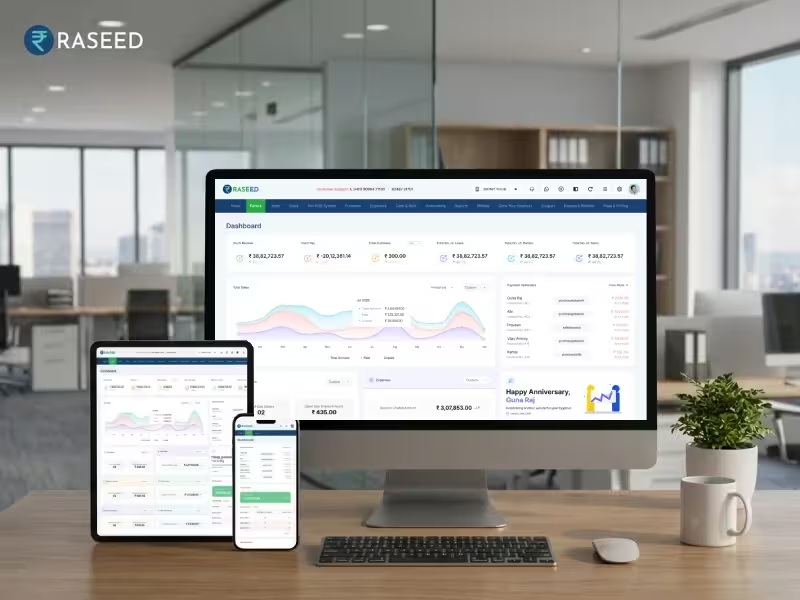
Raseed billing software helps businesses manage regular billing without creating every invoice from scratch.
Business details can be saved in the system, while products and customer information can also be maintained for future transactions. When creating a new invoice, users can select the required information instead of entering everything manually.
Raseed also supports GST billing and helps businesses maintain their sales, customer and tax related records in one place. For a business creating several invoices every day, reducing repetitive data entry can save considerable time.

A GST Invoice Should Be Quick and Accurate

The goal of faster GST invoicing is not simply to create a bill in less time. It is to remove repetitive work while keeping the invoice accurate.

Once your business details, customers and products are properly set up, routine invoices can be created much faster than manual billing. For many regular transactions, completing the process in under 2 minutes can be realistic.

Invoicing Software CTA
With Raseed, businesses can keep their billing process organised and spend less time preparing invoices manually.
Edit Template

Transform your billing with our top-notch software. Fast, accurate invoicing—start optimizing today!

This will close in 20 seconds