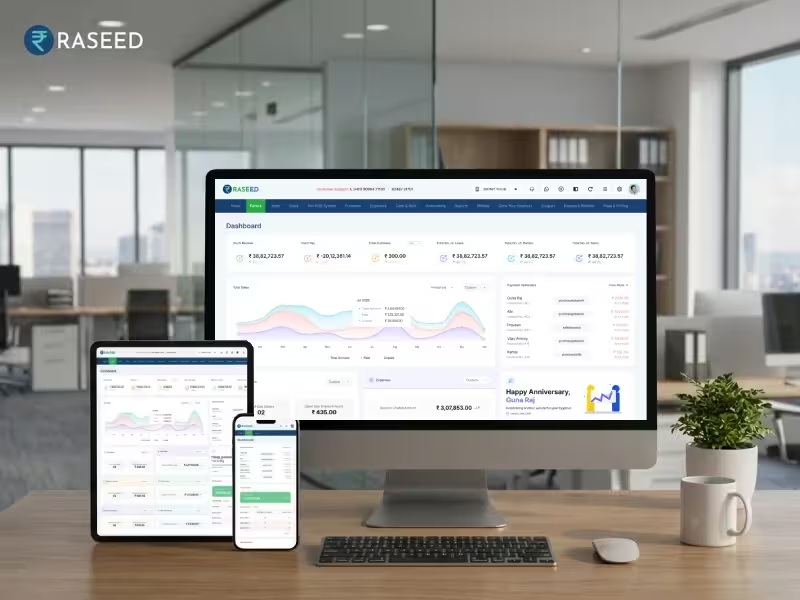
🎉 All-in-One Billing, Inventory & Accounting Platform for Faster Business Growth BUY NOW 👉

Restaurant Billing Software Demo: Price, Features & Benefits

Raseed
By Raseed Raseed Editorial Team
Last Updated
Continue with AI:
Buying restaurant billing software is not a decision that should end with looking at a price tag. Two systems can offer similar sounding features yet work very differently when your staff is taking orders, the kitchen is busy, and customers are waiting to pay.

That is where a proper demo becomes useful. It gives you a chance to see the software in action, understand what you are getting, and compare the restaurant billing software demo with the features your restaurant will use every day.

Before choosing a system, there are a few things worth testing, asking, and checking.

Start With the Way Your Restaurant Works
The first question should not be, “How much does the software cost?”
Ask instead, “How will my staff use it during a normal day?”
A cafe may need quick counter billing and simple inventory tracking. A dine in restaurant may need table management, KOTs, split payments, and multiple payment modes. A cloud kitchen may have a different workflow altogether.

The software should fit the way your restaurant operates rather than forcing your team to change every process around the system. So, demo can help you walk through your actual workflow and see where the software fits before comparing restaurant billing software pricing between different options.

What Should You Test During a Restaurant Billing Software Demo?

Do not treat the demo as a presentation where someone simply shows you different screens. Use it as a test run.

Test a Busy Billing Situation

Ask the representative to demonstrate how quickly a bill can be created, modified, discounted, and closed.
Try adding multiple items. Change quantities. Remove an item. Apply a discount. Then check how quickly the final bill is generated. The process should be clear enough for staff to learn and use during busy hours.

Try Different Payment Modes

Customers do not always pay in one way. Test a bill using cash, UPI, card, or a combination of payment methods. If your restaurant handles split payments, ask how the system records them.
The goal is simple: your staff should be able to record payments accurately without depending on manual calculations.

Check What Happens with Internet Problems

Internet connectivity can affect digital restaurant operations. Ask the provider what happens if the connection becomes unstable or unavailable. Find out which functions continue to work, what gets stored, and how data is handled when connectivity returns.
Do not wait for an actual outage to discover the answer.

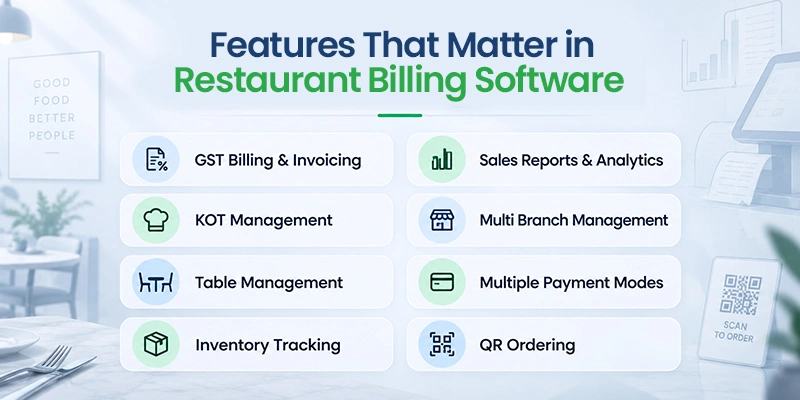
Features That Matter in Restaurant Billing Software

Once you have tested the basic workflow, look at the features behind it. The right combination depends on your restaurant, but these are worth considering.

GST Billing and Invoicing

Your billing system should calculate applicable taxes accurately and generate invoices with the required details. GST billing can become particularly important when you are handling a large number of transactions every day. Automated calculations can also reduce the risk of manual billing mistakes.

KOT Management

KOT management connects order taking with food preparation.
The system should make it easy for staff to send orders to the kitchen and communicate changes or special instructions clearly. This becomes even more useful when the restaurant is handling several orders at once.

Table Management

For dine in restaurants, knowing the status of each table can help staff manage the floor more effectively. The system may allow you to view occupied, available, or billing tables and connect orders to specific tables.

Inventory Tracking

Restaurant inventory changes constantly. Ingredients are purchased, used, wasted, and replenished throughout the day. Connecting sales with inventory can give you a clearer view of stock movement and help you identify items that need attention.

Sales Reports and Analytics

A restaurant owner needs more than the total amount collected at the end of the day. Reports can help you review sales, identify popular items, compare business performance across periods, and understand payment activity.

Multi Branch Management

Managing multiple outlets becomes more complicated when every branch maintains separate systems. A centralized setup can give business owners access to branch level sales, inventory information, and reports from one place.

Multiple Payment Modes

Cash, cards, UPI, and other digital payment methods should be easy to record. The system should also make it clear how each payment has been received.

QR Ordering

QR based ordering can give customers another way to view menus and place orders. For restaurants using this model, check how the QR ordering process connects with billing and order management.

Restaurant Billing Software Pricing: What Are You Actually Paying For?

The cheapest plan is not automatically the lowest cost. When comparing restaurant billing software pricing, look beyond the subscription amount and check what comes with it.

  • Number of Counters: Find out whether the plan supports the billing counters and devices you need.
  • Included Features: Check whether billing, POS, inventory, reports, expenses, and other required functions are included in the plan.
  • Additional Modules: Ask whether features you need later will require separate purchases.
  • Renewal Cost: A promotional first year price can look attractive. Always ask what the regular renewal price will be.
  • Hardware Compatibility: Check whether the software works with the computers, tablets, printers, and other devices you already use.
  • Support: Understand what customer support is included and whether any support services carry an additional charge.
  • Number of Outlets: If you plan to expand, check whether adding another location changes the pricing structure.

Looking at restaurant billing software demo this way gives you a clearer idea of the actual cost rather than focusing only on the starting subscription amount.

Where Does Raseed Fit In?

Raseed is built for restaurants and other food businesses that need more than basic bill generation.
It brings billing and invoicing, POS, inventory, expenses, customer records, GST reports, analytics, and multi branch capabilities into one platform. Restaurant specific workflows can also be explored based on the way your business operates.

Instead of choosing software from a feature list alone, a Raseed billing software demo lets you see how the system works in real billing situations. You can explore the workflow, understand the available features, and check whether it matches your restaurant’s daily requirements before making a decision.

A Demo Can Tell You More Than a Pricing Page

Price can help you compare options, but the actual workflow shows whether the software fits your restaurant. During the demo, you can explore billing, payments, KOTs, reports, inventory, and other everyday processes. You can also ask about renewals, support, hardware requirements, and any additional costs before choosing a plan.
With a Raseed billing software demo, you can see the features in action and understand how the system fits your restaurant’s billing process. This also gives you a clearer idea of the available pricing and what you need before getting started.
Edit Template

Transform your billing with our top-notch software. Fast, accurate invoicing—start optimizing today!

This will close in 20 seconds